

How to Order Custom Shirts With No Minimum Order
Table of Contents
- Understanding No-Minimum Custom Shirt Ordering
- Step 1: Choose Your Shirt Style, Size, and Color
- Step 2: Prepare Your Custom Shirt Design File
- How to Choose a Custom T-Shirt Printing Method
- Step 3: Upload Your Design and Review the Proof
- Understanding Custom Shirt Printing Cost Per Shirt
- Print-on-Demand Custom Shirts vs. Traditional Printing
- Common Mistakes to Avoid When Ordering Custom Shirts
- Frequently Asked Questions
Last Updated: October 21, 2026
Understanding No-Minimum Custom Shirt Ordering
How to order custom shirts with no minimum order means you can buy just one shirt or a handful without hitting a bulk-order threshold. This breaks the old printing model where you needed to order 50, 100, or even 500 pieces to make it worthwhile. Today, print-on-demand technology and modern digital printing methods let small businesses, community groups, and individuals get exactly what they need.
The Goods ND specializes in this kind of flexibility. We print custom apparel one shirt at a time if that's what you need. No hidden minimums. No pressure to buy more than you want.
The real advantage? You pay for what you order, nothing more. You avoid overstock. You test designs without financial risk. Whether you're ordering a single commemorative shirt or thirty pieces for a church event, the process is the same.
Step 1: Choose Your Shirt Style, Size, and Color
Your first decision is picking the blank apparel itself. This matters more than most people realize because the blank shirt affects how your design looks, how the shirt feels, and how long it lasts.
Common shirt styles include:
- Short-sleeve shirts, the standard choice for most occasions
- Long-sleeve shirts, better for layering or cooler weather
- Hoodies, popular for events and team apparel
- Tank tops, ideal for summer or athletic use
- V-neck shirts, a fitted alternative to crew necks
At The Goods ND, we offer options like the Customizable T-Shirt, Bella+Canvas at $20.00 or the Customizable T-Shirt, Gildan Soft Style at $17.00. Both work beautifully with custom designs.


Pick your garment color next. Most printers offer 10-20 colors. Dark colors (black, navy, charcoal) hide imperfections and work well with bright designs. Light colors (white, cream, light gray) show detail but require careful design choices to avoid fading or visibility issues.
Then select your size. Standard sizes run XS to 3XL or larger. Order the exact size you need, no guessing, no bulk leftovers.
Step 2: Prepare Your Custom Shirt Design File
Your design file is everything. A poor file produces a poor shirt. A high-quality file produces a shirt you're proud to wear.
Start by gathering your artwork. This might be a logo, a photo, text, or a combination. Make sure you have the clearest, highest-resolution version available.
File format matters:
- PNG, best for logos and graphics with transparent backgrounds
- PDF, works for text and vector designs
- JPG, acceptable for photos, but use the highest quality setting
- SVG, ideal if you have vector art
Resolution requirements are strict. Most printers need at least 300 DPI (dots per inch) for print quality (Standard DPI & Image Resolution for Quality Printing). A low-resolution file will look pixelated or blurry on your finished shirt.
File size and dimensions:
- Keep files under 100 MB
- Design dimensions should match your intended print area (usually 8" x 10" for front chest prints)
- Leave at least 0.5 inches of space from the shirt's edges
If you're using a photo, choose the sharpest, best-lit version. Photos with shadows, blur, or poor lighting won't translate well to fabric.
Text needs to be at least 8 points if printed small, and use simple, readable fonts. Fancy script fonts can become illegible at small sizes.
How to Choose a Custom T-Shirt Printing Method
The printing method you choose determines how your design looks, how durable it is, and how much it costs. Different methods work better for different designs.
Direct-to-Garment (DTG) Printing: DTG works like an inkjet printer for fabric. The printer sprays ink directly onto the shirt. This method handles full-color designs beautifully and works best for photorealistic images or complex multi-color artwork.
Screen Printing: Screen printing pushes ink through a mesh screen onto the fabric. It's durable, bright, and long-lasting. Each color requires a separate screen, so it works best for designs with 2-4 colors.
Sublimation Printing: Sublimation uses heat to bond dye directly into polyester fabric. Colors are vibrant and won't crack or peel. The catch? It only works on light-colored polyester or polyester-blend shirts. If you need dark shirts or cotton, sublimation won't work.
UV Printing: UV printing cures ink with ultraviolet light. It produces bright, durable prints on nearly any fabric color. It's newer technology and less common, but it's excellent for special effects or metallic inks.
The Goods ND uses DTF, screen print, UV, and sublimation methods tailored to your specific needs. This means we can recommend the best method for your exact design and shirt choice.
Step 3: Upload Your Design and Review the Proof
Once your file is ready, upload it to the printer's online ordering system. Most sites have a simple upload button. Drag and drop your file or browse your computer.
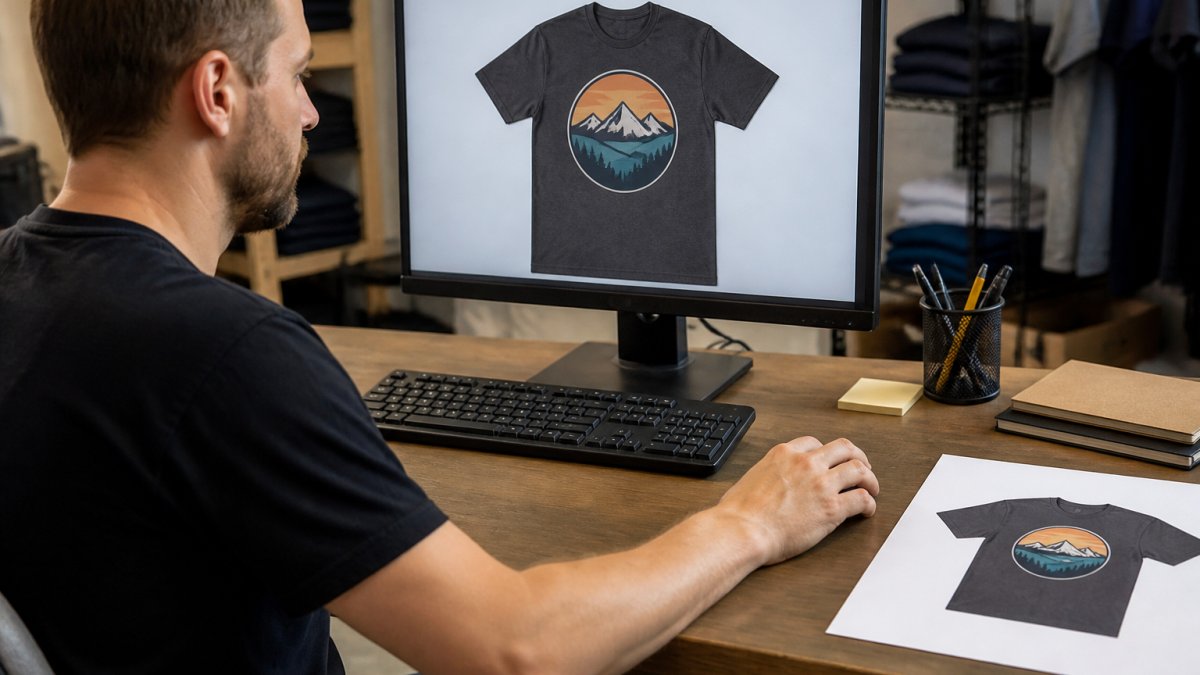
After upload, the system shows you a preview. This is your chance to check placement, size, and color accuracy. Make sure the design sits where you want it on the shirt. Check that colors look right on the garment color you chose.
Many printers offer a digital proof before production. Review it carefully. Look for:
- Design placement (centered, correct position)
- Color accuracy (does it match your intent?)
- Size (is it large enough to see clearly?)
- Text legibility (can you read every word?)
- Edges (are there rough spots or misalignment?)
If something looks wrong, request a revision before they print. Most printers make unlimited changes to the proof at no extra cost.
Once you approve the proof, production begins. The printer cuts the blank shirt, applies the design, and quality-checks the finished product.
Understanding Custom Shirt Printing Cost Per Shirt
Price is one of the biggest questions people ask, and it varies based on several factors.
Customizable T-Shirt, Gildan Soft Style - Add your own design! →
Base shirt cost: Blank apparel ranges from $12 to $40 depending on quality and type. A basic cotton t-shirt costs less than a premium blend or specialty item like a hoodie or long-sleeve work shirt.
Printing cost: This depends on the method and design complexity.
Setup and design fees: Some printers charge art setup fees ($25-$75) or design fees. The Goods ND builds quality into the process. You see the total cost upfront.
Quantity breaks: Bulk orders sometimes offer per-shirt discounts. We offer discounts on major orders upon review, so larger batches cost less per piece.
Shipping: This varies by location and speed. Standard shipping might be $5-$15. Rush shipping costs more.
Real example: A single Bella+Canvas custom t-shirt at The Goods ND costs $20.00 for the blank. For a church group ordering 30 shirts, the per-shirt cost drops as volume increases.
The key insight? Ordering one shirt shouldn't feel like a financial commitment. The total should feel reasonable for what you get.
Print-on-Demand Custom Shirts vs. Traditional Printing
Print-on-demand and traditional printing serve different needs.
Print-on-Demand: Print-on-demand prints shirts only after you order. There's no inventory sitting in a warehouse. You order one shirt or 50, and they print exactly what you request. This model eliminates waste and works perfectly for custom designs you won't repeat. Setup is fast, usually same-day or next-day production. Cost per shirt is higher when ordering small quantities because there's no volume discount.
Traditional Printing (Bulk Orders): Traditional printing requires minimum orders of 50-500 pieces. The printer produces everything upfront and stores it. Per-shirt cost is lower because of volume efficiency. This model makes sense if you're ordering hundreds of identical shirts for a large event or business. The downside? You're committed to inventory. If you overestimate demand, you're stuck with extras.
The real difference comes down to flexibility versus cost. Print-on-demand gives you flexibility. Bulk printing gives you lower per-unit cost.
For most small businesses and community groups, print-on-demand wins. You avoid overstock. You test designs without risk. You scale up only when demand is real.
According to Statista's 2026 print industry report, print-on-demand has grown steadily as businesses prioritize waste reduction and customization. The Goods ND embraces this model because it serves real customer needs better than forcing people to buy more than they want.
Common Mistakes to Avoid When Ordering Custom Shirts
Learning from others' mistakes saves time and money.
Mistake 1: Uploading low-resolution files A blurry or pixelated design ruins the finished shirt. Always use 300 DPI or higher. Test your file size before uploading.
Mistake 2: Choosing the wrong printing method for your design A photorealistic design on screen printing looks flat and loses detail. A simple logo on DTF might be overkill. Match the method to the design complexity.
Mistake 3: Not reviewing the proof carefully Approving a proof without checking placement, color, and text is asking for disappointment. Spend five minutes reviewing. Ask for changes if something looks off.
Mistake 4: Ordering without a test first If you've never worked with a printer before, order one test shirt. Check the quality, fit, and color accuracy before committing to a larger batch.
Mistake 5: Ignoring fabric quality A cheap blank shirt feels cheap and wears out faster. Investing in better fabric (like Bella+Canvas) means your design lasts longer and looks better.
Mistake 6: Assuming all no-minimum printers are the same Quality varies widely. Read reviews. Check sample prints. Ask about their quality control process.
Mistake 7: Forgetting about shipping time If you need shirts for an event, order early. Standard production takes 3-5 business days. Add shipping time on top. Plan ahead.
Learning how to order custom shirts with no minimum order is straightforward when you know the steps. Every order undergoes thorough quality control to ensure your custom apparel arrives ready to wear. Shop now and bring your unique designs to life.
| Step | What to Do | Time Required |
|---|---|---|
| Choose shirt style and color | Pick blank apparel and garment color | 10 minutes |
| Prepare design file | Gather artwork, ensure 300 DPI resolution | 15-30 minutes |
| Select printing method | Match method to design complexity | 5 minutes |
| Upload and proof | Upload file, review digital proof | 10 minutes |
| Approve and order | Finalize design, complete checkout | 5 minutes |
| Production | Printer creates your custom shirt | 3-5 business days |
| Shipping | Delivery to your address | 3-7 business days |
Frequently Asked Questions
Can you really order just one custom shirt with no minimum order?
Yes. No-minimum custom shirt ordering means you can place an order for a single shirt without penalty or hidden minimums. The Goods ND accepts orders for one or a few custom shirts, making it possible to get exactly what you need without bulk commitments. Your per-shirt cost will be higher than bulk orders, but you avoid wasting money on shirts you don't need.
What is the best printing method for a small batch of custom shirts?
For small batches, DTF and print-on-demand methods work best because they require no setup fees and handle single shirts efficiently. Screen printing requires setup costs that only make sense for 12+ pieces. DTF offers full-color designs and durability. Choose based on your design complexity, timeline, and budget.
How much does it cost to print one custom shirt?
The Goods ND offers customizable t-shirts starting at $17.00 for a Gildan Soft Style shirt, $20.00 for Bella+Canvas, and $32.47 for FR work shirts with custom embroidery. Your total cost includes the blank apparel, printing or embroidery, and design setup (if applicable). Shipping and any rush fees are added at checkout. Check The Goods ND pricing page for exact quotes based on your specific design and options.
What should I check before approving a custom shirt proof?
Review the proof for design placement, color accuracy, and text clarity. Check that logos or images are not cut off, colors match your expectations, and any text is readable and spelled correctly. Confirm the design size and position on the shirt front or back. Request adjustments before final approval if anything looks off. Quality control checks happen after approval, so getting the proof right prevents costly reprints.