

Small Batch Custom T-Shirt Printing: A Complete Guide
Table of Contents
- Small Batch Custom T-Shirt Printing: What You Need to Know
- Custom T-Shirts No Minimum: How Small Orders Work
- Best Printing Method for Custom T-Shirts
- Custom T-Shirt Design File Requirements
- Custom T-Shirt Printing Cost: Pricing Breakdown
- Step-by-Step: Ordering Your Small Batch
- Common Mistakes to Avoid When Ordering Small Batches
- Print Durability and Care for Custom T-Shirts
- Frequently Asked Questions
Last Updated: October 9, 2026
Small Batch Custom T-Shirt Printing: What You Need to Know
Small batch custom t-shirt printing lets businesses, nonprofits, and individuals order branded apparel without massive minimums or prohibitive costs. Whether it's 10 shirts for a family reunion, 50 for a community event, or 200 for a startup team, the flexibility didn't exist a decade ago.

At The Goods ND, we work with customers ordering everything from single-digit quantities to bulk runs. But small-scale ordering requires a different approach than bulk production: understand your printing options, prepare files correctly, and know what to expect on pricing and turnaround.
This guide covers which printing methods work best for small orders, how to prepare design files, what pricing looks like, and how to avoid common mistakes.
Custom T-Shirts No Minimum: How Small Orders Work
"No minimum" custom t-shirts changed the apparel industry. Where printers once required 50, 100, or 500 units to justify setup costs, many providers, including The Goods ND, now accept orders as small as one shirt.
Modern DTF printing eliminates the setup fees that made small orders uneconomical. With screen printing, screen setup costs spread across the run, making 10 shirts far pricier per unit than 100. With DTF, there's minimal setup: upload your design, select your shirt, and print.
The trade-off is per-shirt pricing: 10 shirts cost more per shirt than 500, which is standard industry-wide. Still, the cost stays reasonable because no minimum forces you to buy more than you need.
Best Printing Method for Custom T-Shirts
Choosing a printing method for your small batch custom t-shirt printing project depends on design complexity, budget, quantity, and quality expectations. The most common are screen printing and direct-to-film.
Screen Printing for Small Batches
Screen printing remains the gold standard for durability and color vibrancy, even in small batches. Each color in your design gets its own screen, ink is pushed through onto the shirt, and the ink sits on top of the fabric for a tactile, long-lasting print.
For small batches, screen printing makes sense with fewer than four colors when durability matters. A two-color design on 20 shirts costs far less than a full-color print; screens take time and money to create, but once they exist, extra shirts are cheap.
The limitation: each color requires a separate screen. A design with 10 colors means 10 screens, which becomes expensive fast. Most screen printers recommend this method for designs with 1-4 colors.
Direct-to-Garment (DTG) Printing
Direct-to-garment printing is the workhorse of small batch custom t-shirt printing. DTG machines act like oversized inkjet printers, spraying water-based ink directly onto fabric with no screen creation, no color limit, and minimal setup.
DTG excels at photorealistic designs, gradients, and complex artwork, and you can print a different design on every shirt at no extra cost. Per-shirt pricing is higher than screen printing, but no setup fee keeps small batches economical.
The catch: DTG works best on 100% cotton or cotton-blend shirts. Polyester and synthetic blends can cause color bleeding or fading. The print sits slightly below the fabric surface, which some people prefer for comfort but means the design won't have the raised, tactile feel of screen printing.
DTF (Direct-to-Film) and Other Methods
Direct-to-film printing is the newer player in small batch custom t-shirt printing. Your design is printed onto special film, then transferred with heat and pressure, producing vibrant, durable results on virtually any fabric: cotton, polyester, blends, even dark colors.
DTF beats screen printing on flexibility: no color limit, any fabric, durable and vibrant prints. Per-shirt cost falls between other methods and screen printing, making DTF the go-to for small batches with complex designs and fabric variety.
Sublimation (polyester only, prints feel part of the fabric) and embroidery (expensive per shirt, best for logos or simple designs) exist but are less common for small batch t-shirt work.
Custom T-Shirt Design File Requirements
Submitting the wrong file format or resolution is one of the most common small batch custom t-shirt printing mistakes, and file quality directly impacts print quality.
For DTF, submit PNG or PDF files at 300 DPI minimum, sized at least as large as your desired print, a 12-inch print needs a file at least 12 inches wide at 300 DPI.
Color mode matters: use RGB for DTF (the printer's software converts to CMYK if needed), and confirm RGB or CMYK preferences with your printer for screen printing.
Flatten transparency and layers before submission, convert fonts to outlines to avoid substitution errors, and test the file in multiple programs to confirm it displays correctly.
Custom T-Shirt Printing Cost: Pricing Breakdown
Understanding custom t-shirt printing cost helps you budget and compare providers fairly. Pricing varies by quantity, printing method, design complexity, and garment quality.
At The Goods ND, a Customizable T-Shirt in Gildan Soft Style starts at $17.00, while a Bella+Canvas option is $20.00, reflecting garment cost plus printing. Small-batch per-shirt pricing runs higher than bulk because there's no volume discount to spread fixed costs.

Watch for hidden costs when comparing providers: setup, art, and rush fees can add 20-30% to your total. The Goods ND includes design assistance and quality control at no additional charge.
Bulk discounts apply at thresholds: 50 shirts cost less per shirt than 10, and 200 cost less than 50. Exact structures vary by printer, but expect meaningful savings at 100+ units.
| Quantity | Typical Per-Shirt Cost Range | Best Printing Method |
|---|---|---|
| 1-10 shirts | Higher per-unit cost | DTG or DTF (no setup fees) |
| 11-50 shirts | Moderate per-unit cost | Screen printing (1-2 colors) or DTG |
| 51-100 shirts | Lower per-unit cost | Screen printing or DTF |
| 100+ shirts | Lowest per-unit cost | Screen printing (best value) |
Step-by-Step: Ordering Your Small Batch
Prepare Your Design and Files
Finalize your design in software like Canva, Adobe Illustrator, or Photoshop, keeping resolution at 300 DPI and the file large enough for your intended print size.
Customizable T-Shirt, Gildan Soft Style - Add your own design! →
Print your design on paper at actual size to catch what screens hide: text that's too small, off colors, or awkward proportions. Adjust before submitting.
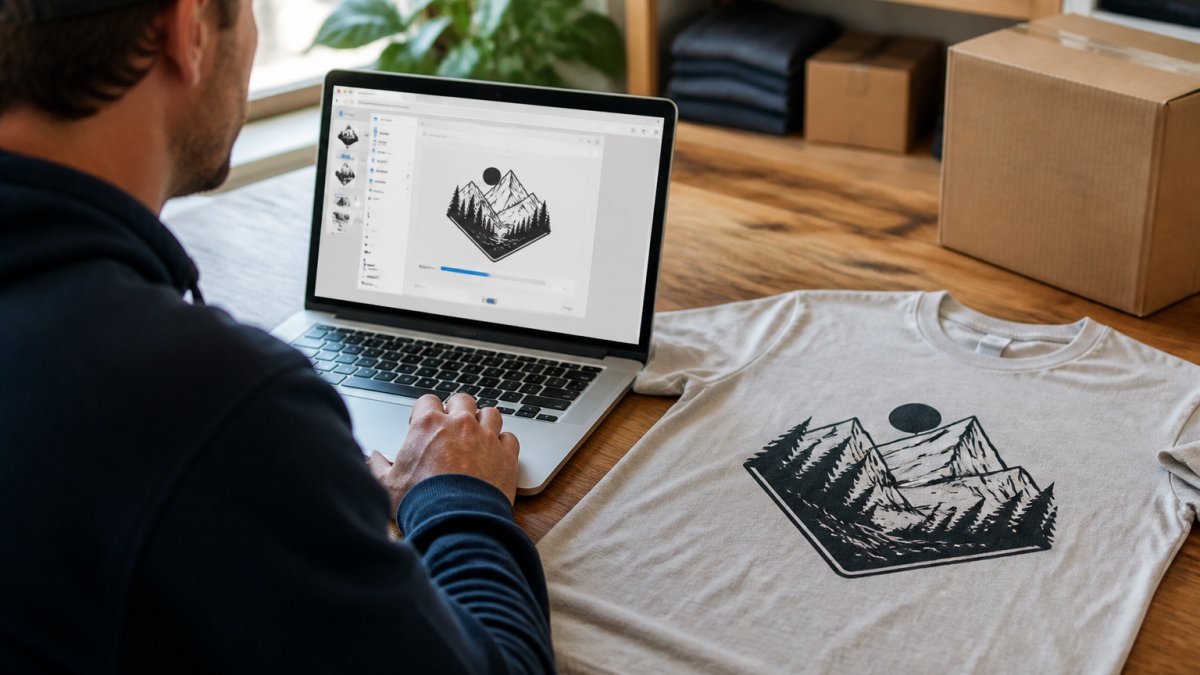
Export in the correct format, PNG or PDF at 300 DPI is standard for most small batch custom t-shirt printing, unless your printer specifies otherwise. Use a descriptive filename like "TeamLogo_Final_300DPI.png".
Choose Your Garment Style and Quantity
Select your garment by fit, fabric, and budget: cotton is versatile and comfortable, cotton blends add durability and wrinkle resistance, and polyester suits athletic wear but limits some printing methods.
The Goods ND offers Gildan Soft Style, Bella+Canvas, and Gildan 50/50 Blend, each with different comfort, fit, and durability. Consider your audience: a premium Bella+Canvas at $20.00 feels different than a Gildan Soft Style at $17.00.
Order based on actual need, not perceived savings, buying 50 to save per unit only works if you'll use or sell all 50. Small batch custom t-shirt printing lets you order exactly what you need.
Review Quality Control and Turnaround Time
Understand the printer's quality control before ordering. The Goods ND inspects every order for print clarity, color accuracy, and garment defects, so your shirts meet expectations.
Ask about turnaround: standard is typically 5-10 business days for small batches, depending on complexity and order volume. Rush options cost more, so don't assume two-day turnaround unless it's explicitly offered and paid for.
Confirm shipping options and costs, some printers ship free above a certain value, others charge by weight and destination. Factor shipping into your total when comparing providers.
Common Mistakes to Avoid When Ordering Small Batches
Many first-time small batch custom t-shirt printing orders stumble on preventable errors. Learning from common mistakes saves money, time, and frustration.
Submitting low-resolution files is the most frequent mistake. A 72 DPI JPG looks fine on screen but prints blurry and pixelated. Always use 300 DPI PNG or PDF files. If your file is too small, ask your designer to recreate it at the correct size rather than upscaling, which degrades quality.
Choosing the wrong printing method for your design creates disappointment. A photorealistic design with 15 colors on screen printing is impossible. A simple two-color logo on DTG costs more per shirt than necessary. Match your design complexity to the printing method.
Underestimating garment shrinkage leads to shirts that fit differently than expected. Most cotton shirts shrink 3-5% when washed. If fit is critical, order a size larger or choose a preshrunk garment option.
Not reviewing a proof before full production means discovering problems too late. Always request a digital or physical proof, review it carefully, and approve it before the printer produces your entire batch.
Ignoring care instructions results in prints that fade, crack, or peel. Provide clear washing and drying instructions to customers. Screen prints need gentle washing.
Print Durability and Care for Custom T-Shirts
Print durability depends on the printing method, garment quality, and how the shirt is cared for. Understanding this helps you set realistic expectations and communicate with customers.
Screen prints are extremely durable when done correctly. The ink bonds to the fabric surface and typically lasts hundreds of washes.
DTF prints offer durability comparable to screen printing. The transfer bonds to the fabric through heat and pressure, creating a lasting print. DTF handles washing well and resists cracking better than DTG.
To maximize print longevity, wash in cool or warm water, avoid bleach, and use gentle cycles. Dry on low heat or air dry. Turn printed shirts inside out during washing. These practices extend print life by years.
The Goods ND's quality control process ensures prints start strong. From there, proper care is the customer's responsibility. Providing clear care instructions protects your investment and ensures customers enjoy their custom apparel for years.
Ordering small batch custom t-shirts shouldn't feel overwhelming or uncertain. When you understand your printing options, prepare files correctly, and work with a printer that prioritizes quality, the process becomes straightforward.
Frequently Asked Questions
Can you order custom t-shirts with no minimum order quantity?
Yes. Many printers, including The Goods ND, accept small-batch orders without minimums. This makes custom t-shirt printing accessible for church groups, small teams, family events, and personal projects. You can order as few as one shirt, though per-shirt costs are typically lower when you order larger quantities. Check with your printer about their specific minimums and pricing tiers.
What printing method is best for a small batch of custom t-shirts?
DTF (direct-to-film) offers durability and vibrant colors with minimal setup. Screen printing works for small orders too but has a modest setup cost. Your choice depends on your design complexity, budget, and how many shirts you need. Ask your printer which method they recommend for your specific order.
How much do custom printed t-shirts typically cost for a small order?
Small-batch pricing varies by printing method and quantity. At The Goods ND, customizable t-shirts start at $17 for a Gildan Soft Style and $20 for Bella+Canvas options. Per-shirt costs drop as you order more. Setup fees, design assistance, and expedited turnaround may add to your total. Request an instant quote from your printer to see exact pricing for your specific order size and design.
What file format and resolution do I need for custom t-shirt design files?
Most printers accept PNG, PDF, or high-resolution JPEG files (300 dpi or higher). Your design should be clear and at the correct size for the print location on the shirt. Avoid low-quality or pixelated images. The Goods ND recommends uploading the highest quality photo available for best results. Contact your printer with your design file to confirm specifications before placing your order to avoid delays or quality issues.